

I haven't used an audible alarm clock in years—and I don't miss it one bit!
My Apple Watch gently taps my wrist every morning to wake me up. No buzzing. No beeping. Just a quiet nudge that eases me into the day without the usual spike of panic. It's been life-changing.
Sounds amazing, right? You should try it and here's how to set it up.
Set up Your Sleep Schedule
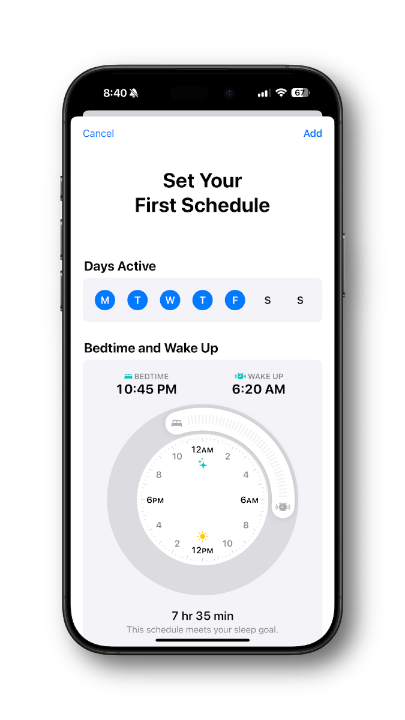
- Open the Health app on your iPhone.
- Tap Browse (bottom right) > Sleep.
- If you haven't used Sleep before, tap Get Started and follow the prompts to set sleep goals (e.g., 8 hours), Bedtime and Wake Up times, Sleep Focus, etc.
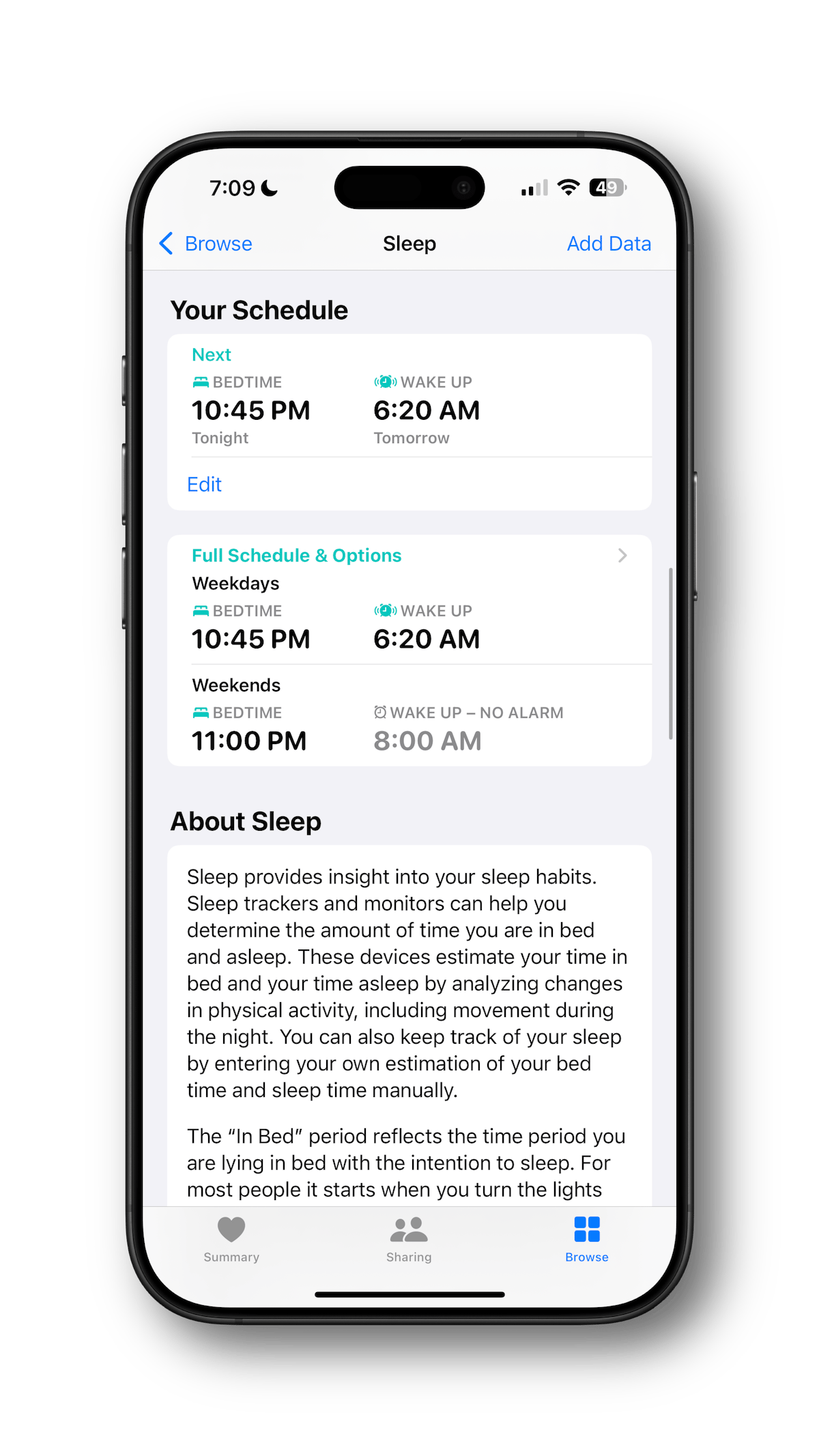
- Some things to keep in mind: you may want a different schedule for weekdays and weekends — for example, I don't use an alarm on weekends, because who needs that. The Apple Watch will also automatically enter Sleep Mode at your scheduled bedtime, dimming the screen and enabling Do Not Disturb across your devices (if you have Focus modes shared across your devices).
- Tap Add or Done to save.
Enable Sleep Tracking for Apple Watch
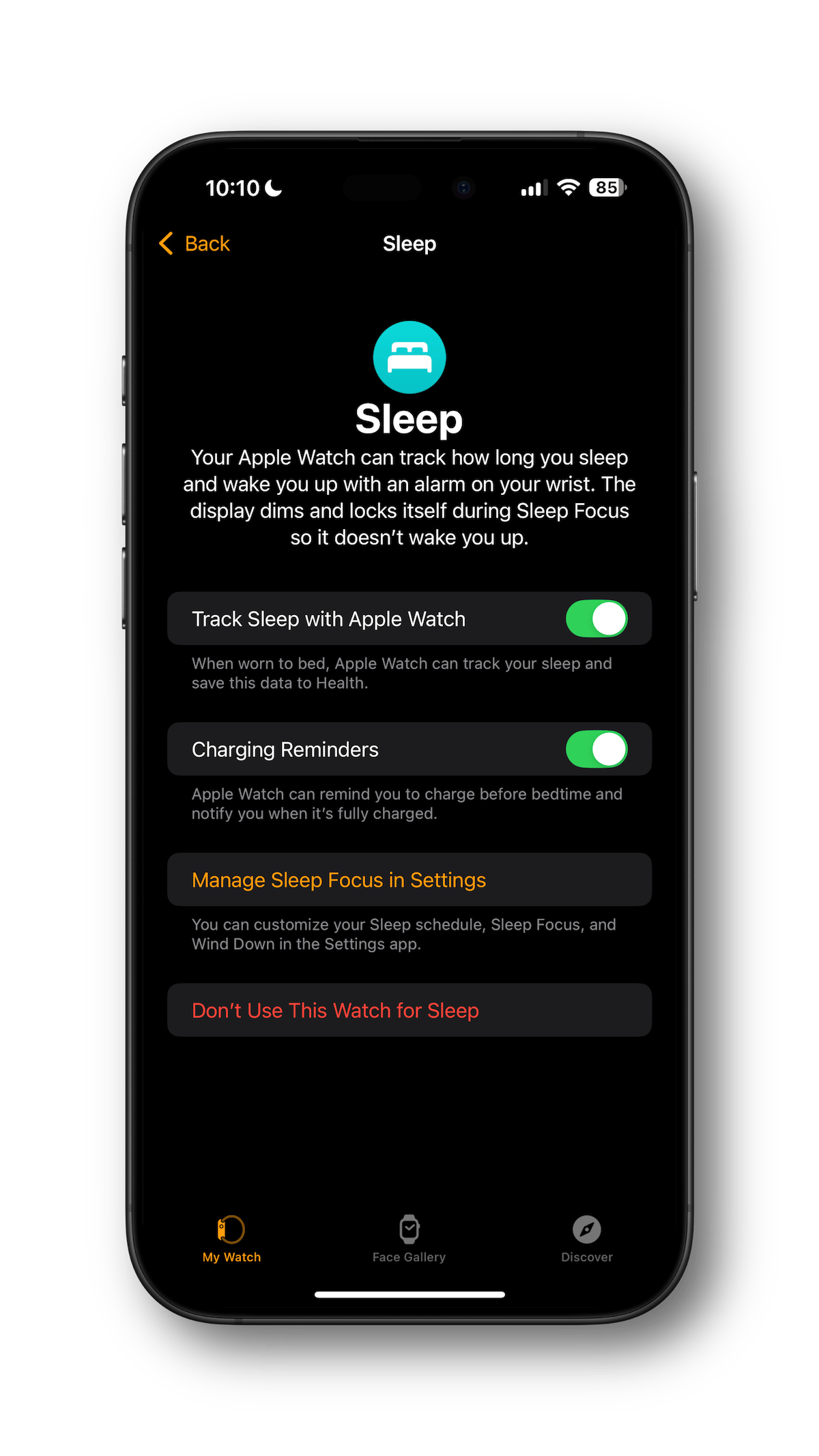
- On your iPhone, open the Watch app and tap Sleep.
- Turn on "Track Sleep with Apple Watch" (toggle on).
- I recommend turning on Charging Reminders to help you remember to charge your watch before bed.
Verify Sleep Schedule on Your Apple Watch
- On the Apple Watch, press the Digital Crown to go to the Home screen.
- Open the Sleep app.
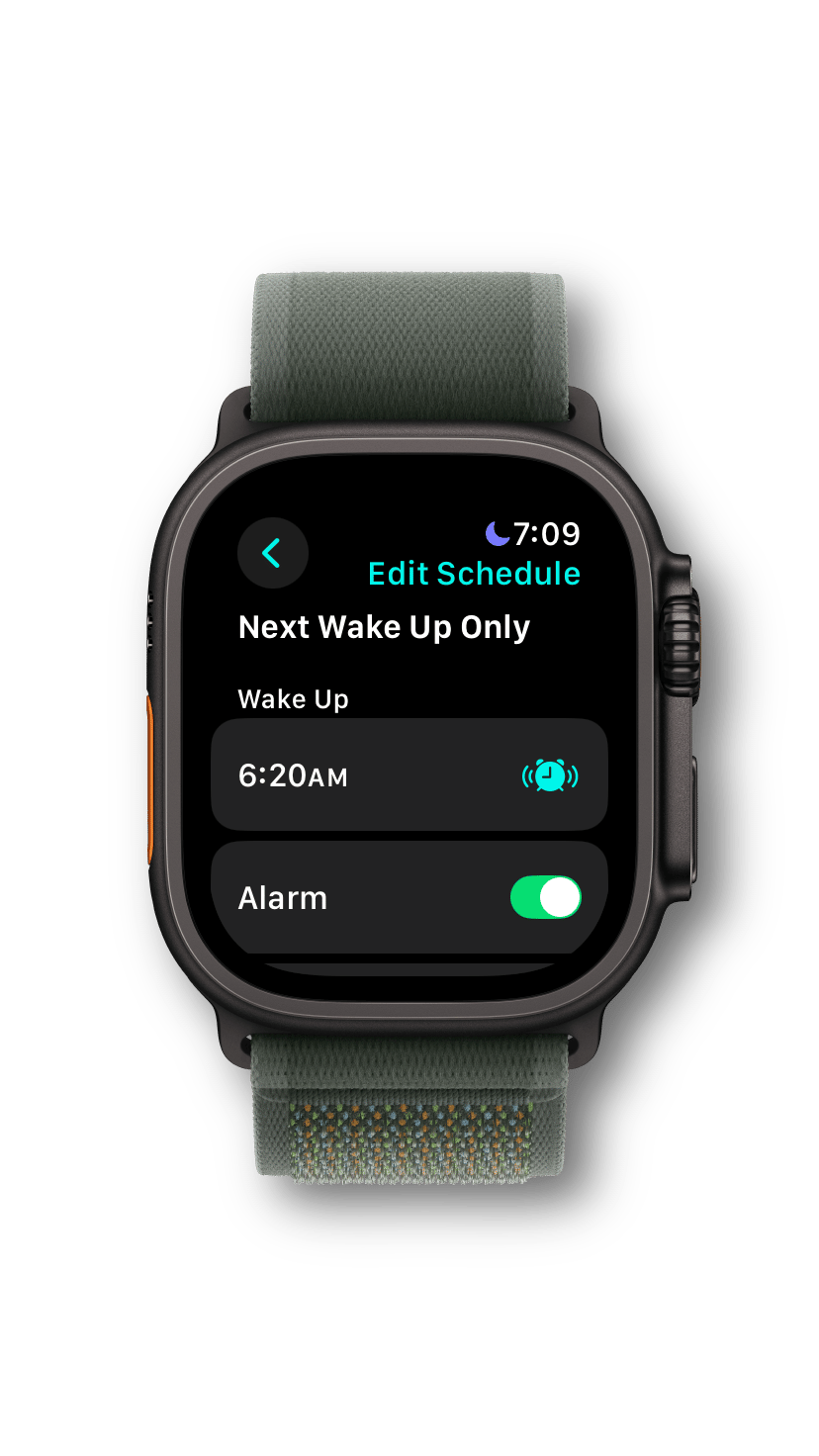
- Tap the Alarm Clock icon in the upper left and confirm the next wake-up matches what you set up on your iPhone.
Tips for the Best Experience
Here's what I've learned along the way:
- Charge your Apple Watch daily to ensure it lasts through the night. A quick 30-minute charge before bed is usually enough. I charge mine each evening while I'm showering.
- Prefer not to use Sleep Mode? Set a regular alarm in the Alarms app on the Apple Watch and choose Haptics Only. The haptic pattern will be the same as when a Timer expires, which is different than in Sleep mode, which uses a "tap…tap…taptaptap" pattern.
- Need stronger taps? If the haptic feedback isn't strong enough, you can change it from the default setting to Prominent in the Watch app > Sounds & Haptics > Haptics.
- Set another alarm as a backup for the first week or so until you're waking up consistently by the watch's taps.
Bonus — More Reasons to Sleep with Your Apple Watch
If you sleep like a log and the watch just isn't enough to wake you up, or you don't want to use the watch as an alarm, there are still some great benefits of wearing your watch while you're catching those sweet Zzzs:
Sleep Tracking and Insights
- The Apple Watch tracks your sleep duration, stages (light, deep, REM), and consistency using motion and heart rate sensors.
- You view detailed sleep data in the Health app on your iPhone, helping you understand sleep patterns and improve habits.
Vitals Tracking
- Heart rate, respiratory rate, blood oxygen levels (if your Apple Watch supports the feature), and wrist temperature are captured overnight.
- This data can also be viewed in the Health app for monitoring and tracking trends.
Let me know if you have any questions! And here's to peaceful, easy waking up! ☀️